My access
Description
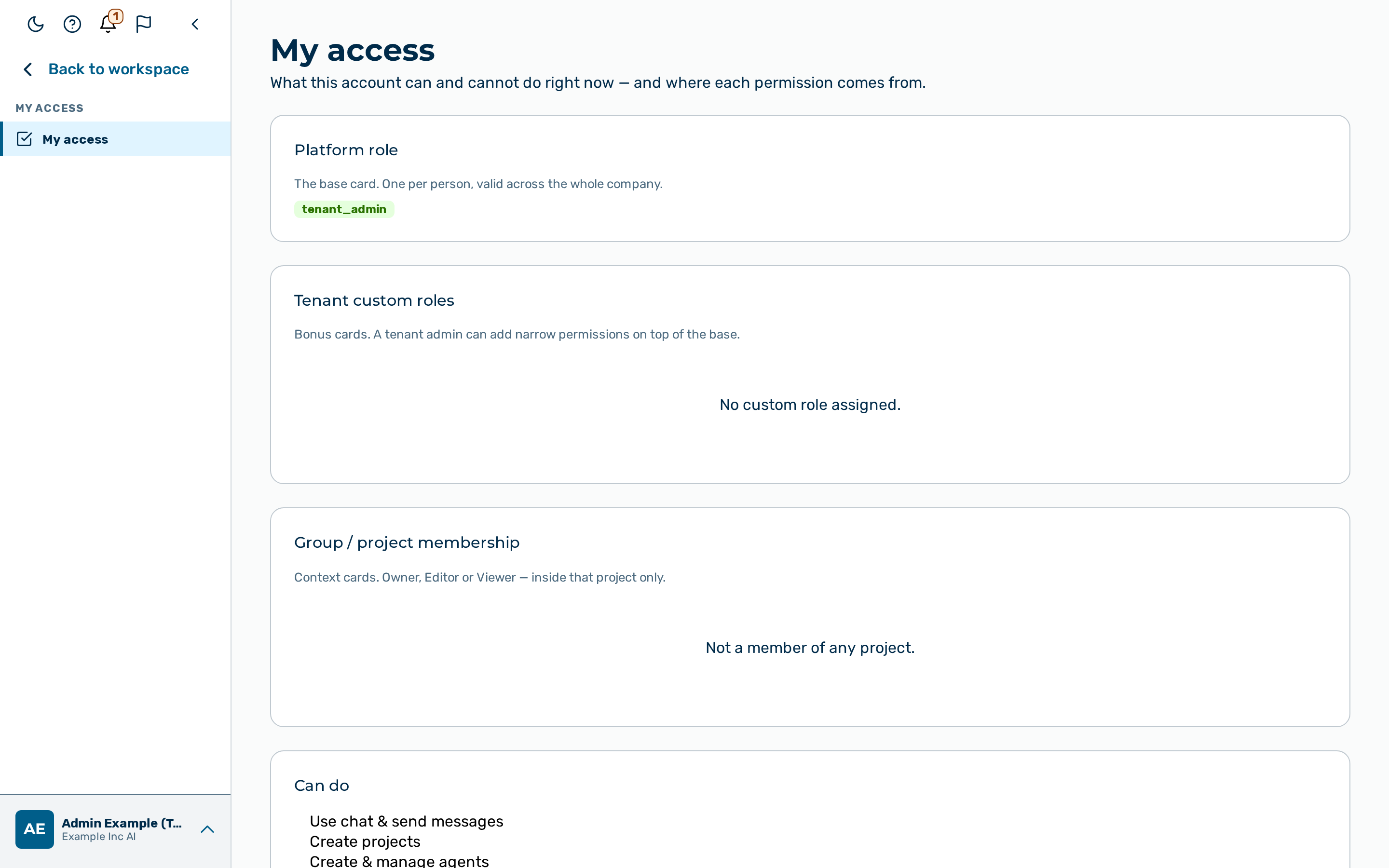
The My access view explains what the current account can and cannot do, and where each permission comes from. The view is read-only. It performs no changes.
The view is reached from the account menu at the bottom of the left sidebar → My access (route
/my-access). Every authenticated role reaches the view, because every account has some access to
describe.
The view combines three sources of access into one place:
- The platform role of the account.
- Any tenant custom roles granted on top of the platform role.
- The group and project membership of the account.
Platform role
The Platform role card shows the single platform role of the account, such as Admin, Tenant Admin, AI Manager, Member, Finance, or Viewer. Every account has exactly one platform role, valid across the whole organisation.
Tenant custom roles
The Tenant custom roles card lists the custom roles granted to the account by a tenant admin. A custom role adds narrow permissions on top of the platform role. When the account has no custom role, the card shows the message No custom role assigned.
Group and project membership
The Group / project membership card lists the groups and projects the account belongs to. A project membership grants access inside that project only. When the account belongs to no project, the card shows the message Not a member of any project.
Capabilities of this account
Two cards summarise the effective capabilities of the account:
- The Can do card lists the capabilities the role of the account is allowed.
- The Cannot do card lists the capabilities the role is not allowed. When nothing is out of reach, the card shows the message Nothing on the platform is out of reach for this account.
Role comparison
The Every role, side by side table compares the roles of the platform against a fixed set of capabilities. The column of the current account is highlighted.
The table has one column per role — Admin, Tenant Admin, AI Manager, Member, Finance, and Viewer — and one row per capability. A cell shows a check mark when the role is allowed the capability, and a dash when the role is not allowed the capability.
The table compares the following capabilities:
| Capability | Meaning |
|---|---|
| Use chat & send messages | Open Chat and send messages (every role except Viewer). |
| Create projects | Create knowledge-space projects. |
| Create & manage agents | Create and configure agents. |
| Create & run workflows | Create and run workflows. |
| Manage users & invitations | Add, edit, and invite users. |
| Create & manage groups | Create and administer groups. |
| Assign roles | Grant roles to users. |
| Gateways, guardrails & routing | Configure gateways, guardrails, and routing. |
| Model providers & system keys | Manage model providers and system keys. |
| Review & approve tool actions | Review and approve gated tool actions. |
| Platform budgets & billing | Manage platform budgets and billing settings. |
| Create or delete tenants | Create and delete tenants. |
💡 Note: The Every role, side by side table describes the base grants of each role. The Can do and Cannot do cards describe the live capabilities of the current account, including any tenant custom roles from the Tenant custom roles card.