Circuit breaker
The circuit breaker automatically stops routing traffic to a provider that is consistently failing, then probes it after a cooldown period to detect recovery. This prevents cascading failures where a broken provider repeatedly consumes retries on every request.
State machine
The circuit breaker operates as a three-state machine:
stateDiagram-v2
    [*] --> CLOSED
    CLOSED --> OPEN      : failures ≥ threshold
    OPEN --> HALF_OPEN   : cooldown elapsed
    HALF_OPEN --> CLOSED : probe succeeds
HALF_OPEN --> OPEN : probe fails (restart cooldown)| State | Behaviour |
|---|---|
| Closed (healthy) | All requests route normally |
| Open | Requests skip this provider entirely; the next target in the fallback chain is tried |
| Half-open (probation) | Requests are admitted again to test recovery. The first attempt that delivers an answer closes the breaker; the first failure re-opens it and restarts the cooldown |
The default state is Closed. No state is stored until the first failure is recorded.
💡 Note: While the breaker is half-open, every incoming request is admitted to probe recovery — not strictly a single one. The probe is judged on the attempt's delivered outcome, not on the HTTP status: an upstream that answers
200with no answer at all has not proven recovery, so it neither closes the breaker nor clears the failure count.
Configuration fields
| Field | Type | Default | Description |
|---|---|---|---|
enabled |
boolean | false |
Set to true to activate the circuit breaker |
failure_threshold |
integer | 5 |
Number of failures within window_sec before the breaker opens |
window_sec |
integer | 60 |
Window in seconds over which failures are counted. The counter is created with a lifetime of window_sec x 2 and is not extended by later failures, so the window is tumbling, not sliding: failures accumulate for up to twice this value and then reset in one step |
cooldown_ms |
integer | 30000 |
Milliseconds to wait in the Open state before allowing a probe |
failure_status_codes |
array | [500,502,503,504] |
HTTP status codes that count as failures. Connection and timeout errors always count regardless of this list. Must be a JSON array of whole numbers; an empty array [] means "never trip on any HTTP status" (connection/timeout errors still count). |
Validation & fail-safe.
failure_status_codesis validated when a gateway is created or updated: a value that is not an array of whole numbers (a string, a number, a non-empty object, or an array containing a non-integer element) is rejected with400. Should a malformed value ever be present in stored config (e.g. written by an older client), the runtime fails closed to the default[500,502,503,504]rather than erroring — the breaker always has a well-defined set.
What counts as a failure
The following events increment the failure counter:
- HTTP 5xx from the provider — only codes listed in
failure_status_codescount (default: 500, 502, 503, 504). - Connection errors — DNS failure, connection refused, TLS error — always counted regardless of
failure_status_codes. -
Timeouts — treated as connection errors.
-
A dead turn from a self-hosted (inline) model — a turn that finishes cleanly with
200(finish_reason: stop) but produces no answer at all (an instant end-of-turn). The gateway retries such a turn once automatically; only a turn that is still dead after the retry counts as a failure. This bypassesfailure_status_codes— the status was200. A turn that produced no answer because it was length-capped (finish_reason: length, Anthropicstop_reason: max_tokens— a caller's tinymax_tokens, such as a one-token health probe, or a prompt that filled the window) is not a dead turn: it is neither retried nor counted (see the neither-success-nor-failure list below).
The following events do not increment the failure counter:
- 4xx responses from the provider — bad request, auth failure, and similar client errors are not treated as provider failures, unless the status is listed in
failure_status_codes. Note that429is counted for the built-in Myra fleet breaker.
💡 Note: The built-in Myra fleet breaker is separate from the per-gateway breaker and is not configurable. It trips after 3 failures in a 30-second window, stays open for 15 seconds, and counts HTTP
500,502,503,504, and429. It is keyed globally (shared across all tenants and gateways), because the Myra fleet is shared infrastructure — so its defaults deliberately differ from the per-gateway defaults (5 failures / 60 s / 30 s cooldown) described above.
What counts as a success — and what counts as neither
Only an attempt that actually delivered an answer records a success (and a success is the only thing that closes a breaker and clears its failure count).
The following outcomes record neither a success nor a failure. They can never trip a healthy breaker, and they can never close one that real failures opened:
- A discarded attempt — one the gateway retried itself (an automatic dead-turn retry, an unparseable response, a failed streaming leg). The retry's own outcome decides.
- A turn the client cancelled mid-stream — pressing Stop tells you nothing about the provider.
- A stream that broke mid-flight, or one the provider terminated with an error event.
- A turn that delivered zero visible characters — for example a reasoning model that spent its whole budget on internal reasoning, or a turn cut off by the caller's
max_tokensbefore any visible token (a one-token health probe). (Applies to the OpenAI-compatible and buffered response paths; the Anthropic-native passthrough does not classify empty responses.)
Interaction with retries and fallbacks
The circuit breaker is checked once per target in the fallback chain — not before each same-provider retry. Consider a request with retry_count: 2 and one fallback, where the breaker of OpenAI is open:
- Check the breaker of OpenAI → Open → skip OpenAI entirely.
- Check the breaker of Anthropic → Closed → attempt Anthropic.
- Anthropic succeeds → record success → return response.
Without a circuit breaker, the gateway would exhaust two retry attempts on a failing OpenAI before trying Anthropic.
Configuring the circuit breaker
Before you begin, ensure the following conditions are met:
- ☑ You have admin access.
- ☑ A gateway exists.
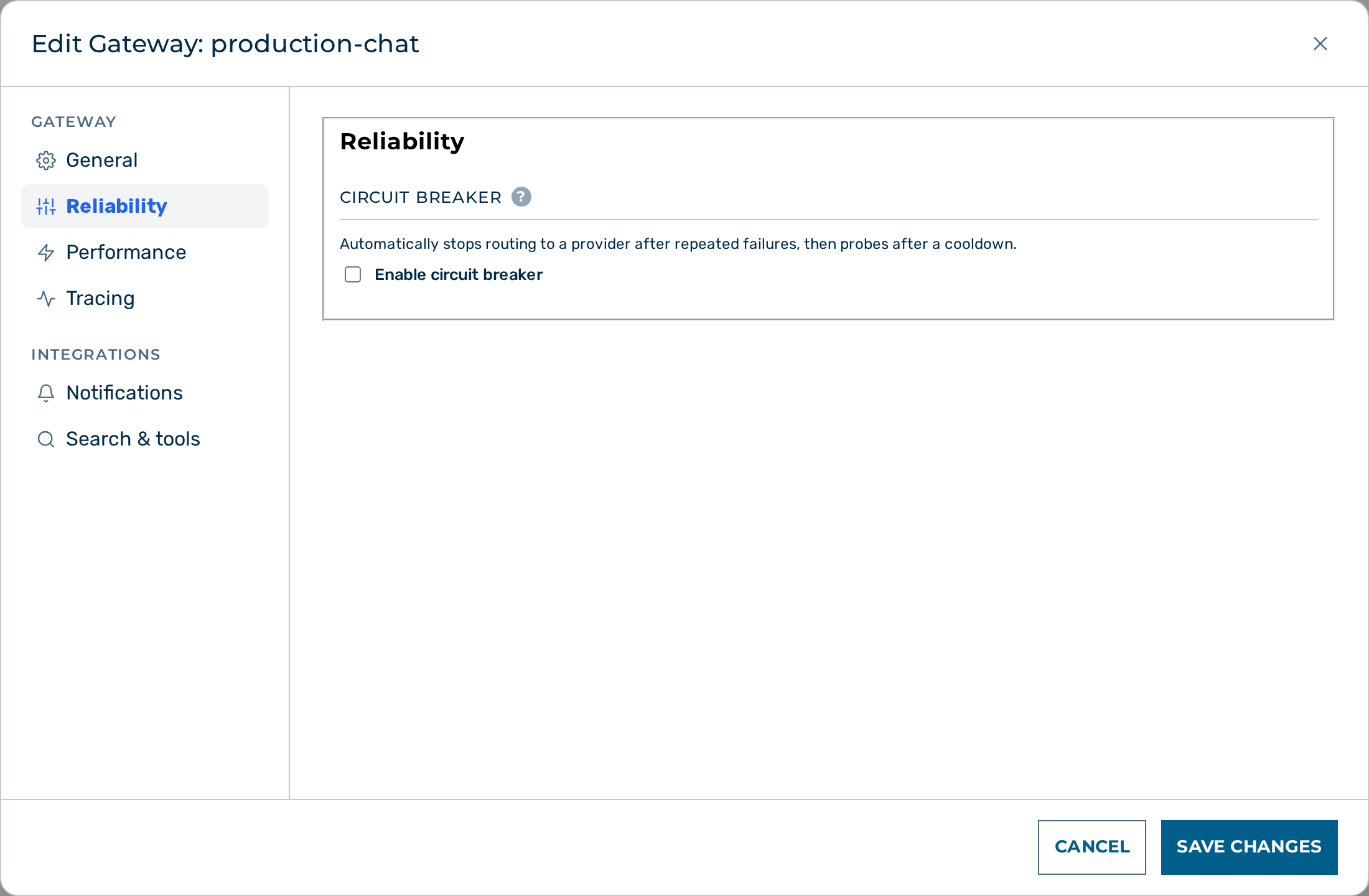 The circuit breaker configuration on the gateway detail page.
Proceed as follows to configure the circuit breaker for a gateway:
- Open Gateways in the left sidebar.
- The gateway list opens.
- Click on the gateway you want to configure.
- The gateway detail page opens.
- Click on the Edit button in the Gateway card header.
- The configuration form opens.
- Toggle the Enable circuit breaker toggle on.
- The circuit breaker configuration fields appear.
- Enter a value in the Failure threshold text field.
- The failure threshold is set.
- Enter a value in the Window text field (in seconds).
- The counting window is set.
- Enter a value in the Cooldown text field (in milliseconds).
- The cooldown period is set.
- Click on the Save Changes button at the bottom of the modal.
-> The circuit breaker configuration is saved and takes effect immediately.
💡 Note: The editor exposes only the enable toggle, failure threshold, window, and cooldown. The set of HTTP status codes that count as failures (
failure_status_codes) is configurable through the API only — see the example below.
To configure the circuit breaker via the API:
{
  "circuit_breaker": {
    "enabled": true,
    "failure_threshold": 5,
    "window_sec": 60,
    "cooldown_ms": 30000,
    "failure_status_codes": [500, 502, 503, 504]
  }
}
Status API
Check the current state of the breaker for all providers on a gateway:
Response:
{
  "openai": {
    "state": "open",
    "failures": 7,
    "opened_at": 1748123456
  },
  "anthropic": {
    "state": "half_open",
    "failures": 5,
    "opened_at": 1748123401
  }
}
Only providers whose breaker is currently open or half-open appear in the response. A missing provider entry means the breaker is closed; when a breaker closes, its recorded state and failure count are cleared.
💡 Note:
failurescounts only while the breaker is closed — it is not incremented while a breaker is open or half-open, and the counter expires on its own afterwindow_sec x 2. A row reading"state": "open", "failures": 0is therefore normal for a breaker that has been open for a while, not a bug.
Every state transition is also logged with a [circuit_breaker] prefix (transition=closed->open reason=provider_5xx failures=3/3 ...) and counted in the aig_circuit_breaker_transitions_total metric, labelled by provider, scope (gateway or global), transition and reason.
The dashboard UI shows this status in a live table on the gateway detail page when the circuit breaker is enabled. The Circuit Breaker card is collapsed on first load; expand it to see the live status table.
Example configurations
Conservative — trip only on sustained outage
{
  "circuit_breaker": {
    "enabled": true,
    "failure_threshold": 10,
    "window_sec": 120,
    "cooldown_ms": 60000
  }
}
Opens after 10 failures in 2 minutes. Probes after 1 minute. Appropriate when providers have occasional transient errors.
Aggressive — trip fast, recover fast
{
  "circuit_breaker": {
    "enabled": true,
    "failure_threshold": 3,
    "window_sec": 30,
    "cooldown_ms": 10000
  }
}
Opens after 3 failures in 30 seconds. Probes after 10 seconds. Appropriate when you have multiple healthy fallbacks and want to shed load immediately.