SIEM integration
SIEM integration streams AI gateway security events to an external Security Information and Event Management (SIEM) system in real time. The gateway emits structured security telemetry for every blocked request, guardrail trigger, and PII scrub event, as well as authentication and authorization failures (sign-in denials, access-denied events). Delivery happens on a background timer and never adds latency to inference requests.
Typical use cases:
- Threat detection — correlate blocked requests across tenants or time windows
- Compliance audit — retain a tamper-evident log of all policy violations
- Alerting — trigger SIEM rules on jailbreak attempts, PII leakage, or budget anomalies
Supported backends
| Type | Protocol | Auth | Best for |
|---|---|---|---|
splunk_hec |
HTTPS POST | Bearer token | Splunk Enterprise / Cloud |
elasticsearch |
HTTPS POST | Basic auth | Elasticsearch, OpenSearch |
vector |
HTTP or HTTPS POST | None | Vector sidecar fan-out (Loki, Datadog, S3…) |
syslog |
UDP or TCP | None | QRadar, ArcSight, CEF-native SIEMs |
Configuration levels
SIEM config is set at two levels:
- Tenant level — applies to all gateways under that tenant by default.
- Gateway level — overrides the tenant default for a specific gateway.
When a gateway has a siem key in its config, it takes priority over the tenant-level setting. To fall back to the tenant default, remove the siem key from the gateway config.
Configuration fields reference
Common fields
| Field | Type | Required | Description |
|---|---|---|---|
type |
string | Yes | Backend type: splunk_hec, elasticsearch, vector, syslog |
events |
array | No | Event filter. Default: ["blocked"]. See Event filter. |
Splunk HEC fields
| Field | Type | Required | Description |
|---|---|---|---|
url |
string | Yes | HEC endpoint, e.g. https://splunk:8088/services/collector/event |
token |
string | Yes | HEC token (sent as Authorization: Splunk <token>) |
index |
string | No | Target Splunk index. Omit to use the HEC default. |
Elasticsearch / OpenSearch fields
| Field | Type | Required | Description |
|---|---|---|---|
url |
string | Yes | Base URL, e.g. https://es.corp.com:9200 |
index |
string | No | Index name. Default: aig-logs |
username |
string | No | Basic auth username |
password |
string | No | Basic auth password |
Documents are written to <url>/<index>/_doc (one document per event).
Vector fields
| Field | Type | Required | Description |
|---|---|---|---|
url |
string | Yes | Vector HTTP source endpoint, e.g. http://vector:8080 |
Configure the HTTP source of Vector to receive events. Vector can then fan out to any sink (Loki, Datadog, S3, Kafka, etc.).
Syslog / CEF fields
| Field | Type | Default | Description |
|---|---|---|---|
host |
string | — | Syslog receiver hostname or IP |
port |
integer | 514 |
Syslog receiver port |
protocol |
string | udp |
Transport: udp or tcp |
format |
string | cef |
Message format: cef (ArcSight CEF) or rfc5424 |
Event filter
The events array controls which request records are forwarded. Values can be combined.
| Value | Emits when |
|---|---|
blocked |
Request was blocked for any reason (guardrail, rate limit, quota, IP allowlist, or an egress-guard block — including the fail-closed EGRESS_GUARD_ERROR) |
guardrail |
One or more detectors fired (block, flag, or scrub) — including a real egress-guard detection (a block or a monitor-mode flag; not the fail-closed guard error) |
scrubbed |
PII was tokenised and restored in the response |
security |
Authentication / authorization failures (sign-in denials, access-denied) |
all |
Every inference request, regardless of outcome |
Default (no events key or empty array): blocked inference events plus all security
events are forwarded — security (auth/authz-failure) events are their own category and emit by
default, so a SIEM target gets them for free. A non-empty events list narrows both categories:
security events are then included only if the list contains security (or all).
⚠️ Caution:
"all"produces very high volumes for busy gateways. Use a backend with adequate throughput (Elasticsearch, Vector) and configure appropriate index retention policies.
Event payload
HTTP backends (Splunk, Elasticsearch, Vector)
All HTTP backends receive the same structured fields from request_log:
| Field | Type | Description |
|---|---|---|
id |
string | Unique request UUID |
tenant_id |
string | Tenant identifier |
gateway_id |
string | Gateway identifier |
provider |
string | LLM provider (openai, anthropic, …) |
model |
string | Model name |
status |
integer | HTTP status returned to the client |
blocked |
boolean | Whether the request was blocked |
blocked_by |
string | What blocked the request. For a guardrail block it is the name of the specific guardrail (detector) that produced the block verdict (for example safety-filter), not the literal word guardrail. For an infrastructure or policy block it is the reason category: rate_limit; ip_allowlist; a quota/budget reason (quota, trial, subscription, trial_budget, trial_user_budget, managed_budget, demo_quota); a model-policy reason (plan_model_allowlist, eu_gov_model_allowlist, role_model_allowlist, local_model_block); a PII-policy reason (pii_protection_required, pii_media_unmaskable); or subprocessor_objection. These map to the CEF event classes in Syslog / CEF format. |
block_reason |
string | Human-readable block description |
detectors_fired |
array | Names of detectors that triggered |
guardrail_verdict |
string | Guardrail pipeline verdict: safe, unsafe, error, or indeterminate |
scrub_applied |
boolean | Whether PII was scrubbed |
egress_blocked |
string | Present when the egress guard blocked a model-chosen outbound target: the matched pattern kind (email, cc, jwt, …) or guard_error (the guard failed closed) |
egress_flagged |
string | Present when the egress guard, in monitor (flag) mode, matched but allowed an outbound target: the matched pattern kind |
cost_usd |
number | Estimated inference cost |
latency_ms |
integer | End-to-end request latency |
input_tokens |
integer | Input token count |
output_tokens |
integer | Output token count |
user_id |
string | Associated user (if authenticated) |
token_label |
string | Auth token label |
ts |
integer | Unix milliseconds timestamp |
Splunk HEC wraps the fields under an event key with time and sourcetype:
{
  "time": 1700000000.123,
  "sourcetype": "_json",
  "index": "ai-gateway",
  "event": { "id": "...", "tenant_id": "...", "blocked": true }
}
Elasticsearch and Vector receive the raw fields object directly.
Syslog / CEF format
CEF messages follow the ArcSight Common Event Format:
CEF:0|AI-Gateway|ai-gateway|1.0|GUARDRAIL_BLOCK|Request blocked by guardrail|7|
  src=<tenant_id> duser=<user_id>
  cs1Label=blocked_by cs1=safety-filter
  cs2Label=block_reason cs2=S1
  cs3Label=detectors cs3=safety-filter
  cs4Label=guardrail_verdict cs4=unsafe
  cn1Label=status cn1=403
  cn2Label=cost_usd cn2=0.001
  cs5Label=provider cs5=openai
  cs6Label=model cs6=gpt-4o
  cs7Label=tenant_id cs7=<tenant_id>
  cs8Label=gateway_id cs8=<gateway_id>
  cs9Label=owasp_llm cs9=LLM01
  cs10Label=atlas cs10=AML.T0051
The CEF event class (5th field) and severity (7th field) reflect what happened to the
request. Every request the gateway blocks carries severity 7 and its own block class — a
blocked request is never reported as INFERENCE. Egress-guard events are a separate family
(they set no blocked_by, so they are not a blocked request in the table above) and carry their
own EGRESS_* classes:
| Event class | Severity | Meaning |
|---|---|---|
GUARDRAIL_BLOCK |
7 | A guardrail detector blocked the request (cs1/blocked_by is the detector name). |
PII_BLOCK |
7 | A PII policy blocked the request (mandatory masking required, or unmaskable media). |
RATE_LIMIT |
7 | The request exceeded a configured rate limit. |
IP_BLOCKED |
7 | The client IP is not on the gateway allowlist. |
QUOTA_EXCEEDED |
7 | A budget or quota was exhausted (per-token, tenant, trial, subscription, or managed budget). |
MODEL_BLOCKED |
7 | The requested model is not permitted (plan / EU-Gov / role allowlist, or disabled on the gateway). |
POLICY_BLOCK |
7 | A data-processing policy blocked the request (for example a sub-processor objection). |
EGRESS_BLOCK |
7 | The egress guard blocked a model-chosen outbound target carrying unattributed PII/secrets (attempted exfiltration). |
EGRESS_GUARD_ERROR |
5 | The egress guard failed closed on an internal error; the request was refused. |
EGRESS_FLAGGED |
5 | The egress guard, in monitor (flag) mode, detected an outbound match but allowed the request. |
PII_SCRUB |
5 | PII was scrubbed from the request; the request itself was not blocked. |
INFERENCE |
1 | A normal, non-blocked inference request. |
AUTH_FAILURE / ACCESS_DENIED |
4 | An authentication or authorization failure (see below). |
A security event uses a distinct CEF class — AUTH_FAILURE (or ACCESS_DENIED for an
access-denied / login-denied action) — and its own field set: src=<actor_ip>, suser=<user_id>,
cs1Label=action, request=<path>, cn1Label=status, cs7Label=tenant_id.
When the gateway classifies an event against the standardized threat taxonomy, the CEF record
also carries cs9Label=owasp_llm (the matched OWASP-LLM Top-10 categories, comma-joined) and
cs10Label=atlas (the matched MITRE-ATLAS techniques). On JSON backends (HTTP/webhook) the same
information is carried under meta.threat_taxonomy ({ "owasp": [...], "atlas": [...] }). See
Compliance for the taxonomy itself.
An egress-guard event additionally carries cs11Label=egress cs11=<kind> (the matched pattern
kind, e.g. email) — present on any record carrying a real matched pattern (egress_flagged, or
egress_blocked other than the guard_error marker), so the outbound-exfil signal survives even
when a co-occurring guardrail block wins the event class. A fail-closed EGRESS_GUARD_ERROR event
carries no cs11 (there is no matched pattern to report).
RFC 5424 format wraps the raw JSON fields in a syslog envelope.
Per-backend configuration examples
Splunk HEC
{
  "siem": {
    "type": "splunk_hec",
    "url": "https://splunk.corp.com:8088/services/collector/event",
    "token": "xxxxxxxx-xxxx-xxxx-xxxx-xxxxxxxxxxxx",
    "index": "ai-gateway-prod",
    "events": ["blocked", "guardrail"]
  }
}
Elasticsearch
{
  "siem": {
    "type": "elasticsearch",
    "url": "https://es.corp.com:9200",
    "index": "aig-logs",
    "username": "aig-writer",
    "password": "s3cr3t",
    "events": ["blocked", "scrubbed"]
  }
}
Recommended index mapping: use keyword for string fields and date with format: epoch_millis for the ts field.
Vector
Vector config (excerpt):
[sources.aig]
type = "http_server"
address = "0.0.0.0:8080"
encoding.codec = "json"

[sinks.loki]
type = "loki"
inputs = ["aig"]
endpoint = "http://loki:3100"
Syslog / CEF (UDP)
{
  "siem": {
    "type": "syslog",
    "host": "siem.corp.com",
    "port": 514,
    "protocol": "udp",
    "format": "cef",
    "events": ["blocked"]
  }
}
Syslog / RFC 5424 (TCP — for QRadar, IBM, etc.)
{
  "siem": {
    "type": "syslog",
    "host": "qradar.corp.com",
    "port": 6514,
    "protocol": "tcp",
    "format": "rfc5424",
    "events": ["blocked", "guardrail"]
  }
}
Configuring gateway-level SIEM integration
Use gateway-level SIEM integration to override the tenant default for a specific gateway, or to configure SIEM on a gateway that has no tenant-level setting.
Before you begin, ensure the following conditions are met:
- ☑ You are logged in as a user with the
adminrole.
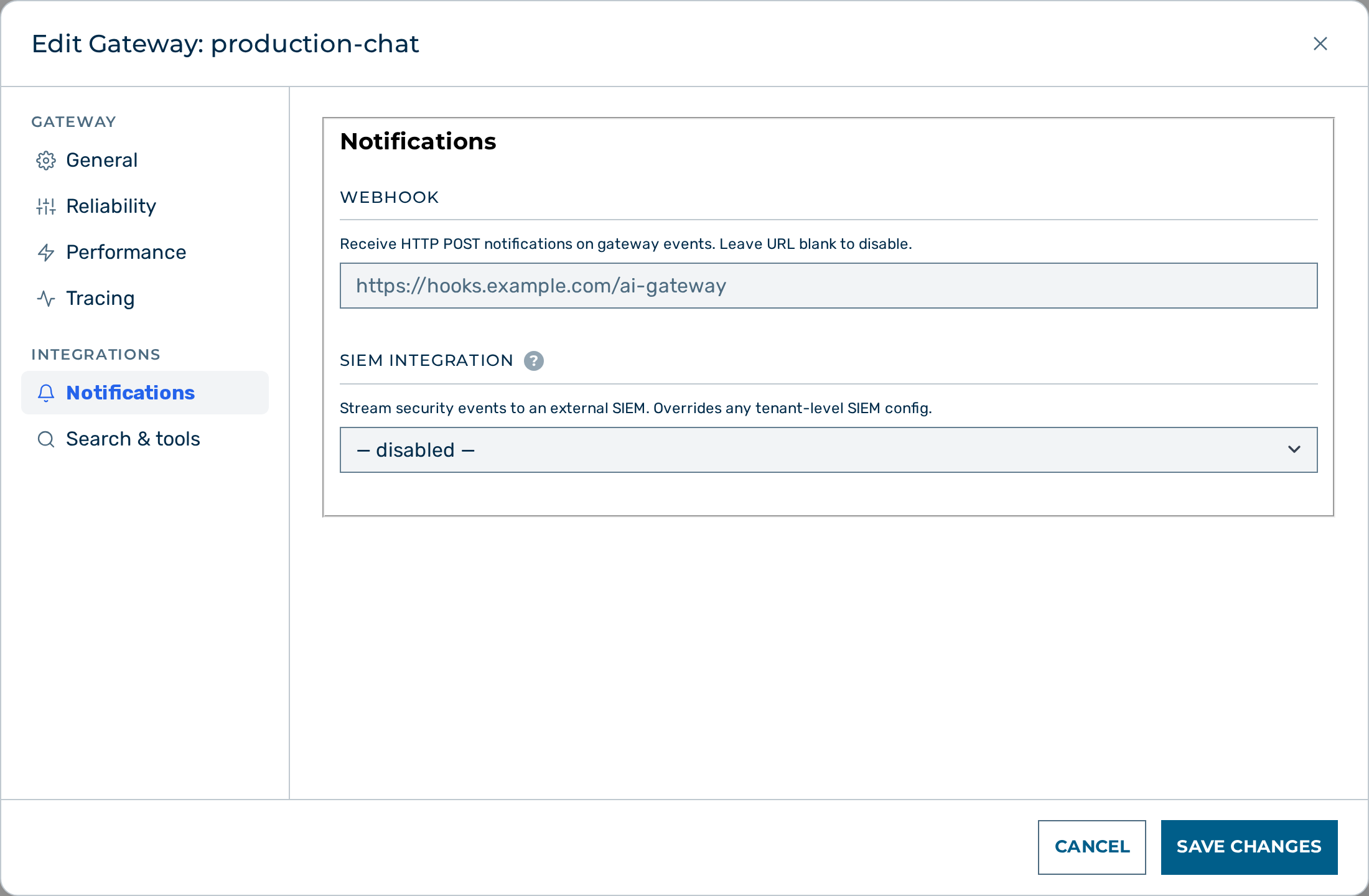 The SIEM Integration section in the gateway edit dialog.
Proceed as follows to configure gateway-level SIEM integration:
- Open Settings → Gateways (user-block menu at the bottom of the left sidebar → Settings).
- The Gateways list opens.
- Click on the gateway.
- The gateway detail view opens.
- Click on the Edit button.
- The gateway edit dialog opens.
- Scroll to the SIEM Integration section.
- Select a backend type from the Type drop-down list.
- Select the events you want forwarded in the Events section.
- Enter the backend-specific fields (URL, token, host/port) as shown in the Per-backend configuration examples.
- Click on the Save Changes button at the bottom of the modal.
- The gateway forwards matching events to the configured SIEM backend.
-> The gateway-level SIEM configuration is active. It overrides the tenant default for this gateway.
💡 Note: To disable SIEM for a gateway and fall back to the tenant-level config, set the Type drop-down list to — disabled — and click on Save Changes.
Configuring tenant-level SIEM integration
The tenant-level SIEM configuration applies to all gateways under the tenant that do not have a gateway-level override. The admin UI tenant editor does not expose a SIEM section — use the API.
Proceed as follows to configure tenant-level SIEM integration:
- Send a
PATCHrequest to/admin/v1/tenants/{id}with thesiemobject in the request body:
PATCH /admin/v1/tenants/{id}
Content-Type: application/json

{
  "siem": {
    "type": "splunk_hec",
    "url": "https://splunk.corp.com:8088/services/collector/event",
    "token": "xxxxxxxx-xxxx-xxxx-xxxx-xxxxxxxxxxxx",
    "events": ["blocked", "guardrail"]
  }
}
- The tenant SIEM configuration is saved.
-> All gateways under the tenant forward matching events to the configured SIEM backend, unless they have a gateway-level override.
💡 Note: To clear the tenant SIEM configuration, send
"siem": nullin the PATCH request body.
See also
- SIEM targets — what a SIEM target is and why
- Guardrails — configure the detector pipeline
- Logs API — query request logs via REST