Notifications
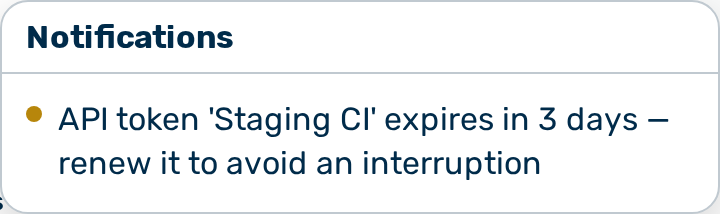
Description
The Notifications panel surfaces the active alerts of the signed-in user. A bell with a count badge opens the panel. The bell sits in the left sidebar on a desktop screen, and in the top header on a small screen.
The bell appears only when the user has at least one active notification. When the user has no active notification, the bell is hidden.
The panel is read-only. It always shows the current active set. The panel has no dismiss action, no mark-as-read action, and no clear action. A notification disappears from the panel when the underlying condition ends — for example when a budget drops below the alert threshold, or when a failed run is removed.
The visible notifications depend on the role of the user, because the server decides what each user receives:
- Every user receives notifications about their own failing scheduled runs and their own expiring tokens.
- Only the admin and tenant_admin roles receive budget and limit alerts.
Opening the notifications panel
Proceed as follows to open the notifications panel:
- Click on the bell in the sidebar or the top header.
- The Notifications panel opens below the bell.
-> The panel lists the active notifications, grouped by category.
To close the panel, press the Esc key or click outside the panel.
Notification categories
The panel groups notifications into three categories, in the order below.
Failing scheduled runs
A failing-run notification reports a scheduled agent, prompt, or workflow that is failing. The category covers two cases:
- A run that failed.
- A run that succeeded, but whose result delivery failed.
Expiring tokens
An expiring-token notification reports an authentication token that expires within seven days. The category covers two cases:
- A personal API token of the user. The message recommends renewing the token to avoid an interruption.
- A service token of a gateway, shown to the tenant_admin role. The message states that scheduled automations stop when the token lapses.
Budget and limit alerts
A budget alert reports a budget that is near or over its limit. Each alert states the scope of the budget and how close it is to the limit:
| Scope | Meaning |
|---|---|
| Tenant | The budget of the whole tenant. |
| Gateway | The budget of a single gateway. |
| Token | The budget of a single authentication token. |
| Plan allowance | The self-serve plan allowance of the tenant. |
| Rate limit | A gateway or token that was rate-limited today. |
An alert at a level below the limit reports that the budget is approaching its limit. An alert at the limit or over the limit reports that new requests are blocked.
A token-scope budget alert shows a Manage token link that opens the settings of the token. The other alert scopes have no link.
💡 Note: The Dashboard shows the same budget alerts as a banner. The banner is dismissible; the notifications panel is not, because the panel always reflects the current active set.