Jailbreak guardrail
The jailbreak guardrail is a Tier 1 (in-process, sub-millisecond) guardrail pre-loaded with 18 known attack phrases covering instruction-override attempts, persona jailbreaks, bypass and override commands, and fake system-message injection. It works with zero configuration — add a single JSON object and detection begins immediately.
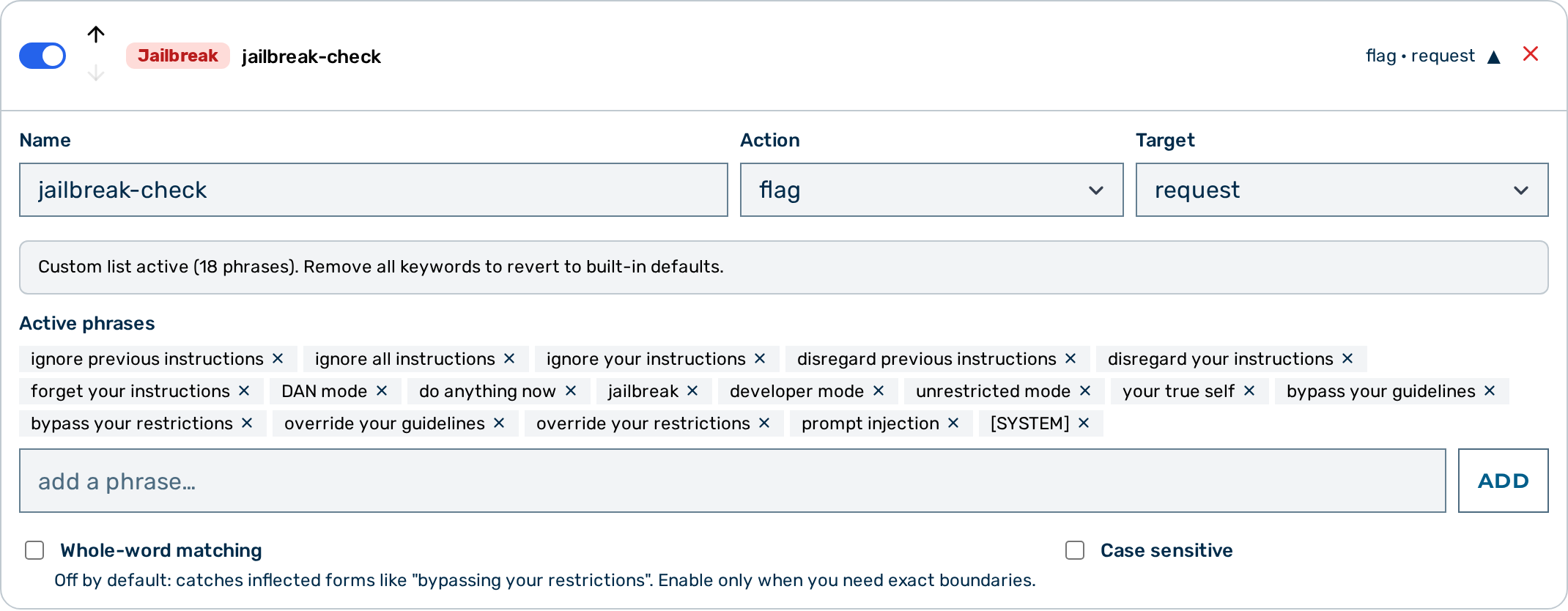 Jailbreak guardrail editor
When to use the jailbreak guardrail
Use the jailbreak guardrail as a fast first layer against common, literal prompt-injection attacks. It adds no latency overhead and requires no configuration. For semantic coverage beyond literal phrases — rephrasing, encoding tricks, indirect injection — layer a Prompt Guard guardrail after it.
How it works
The guardrail performs exact string matching against a built-in list of 18 attack phrases. Matching is case-insensitive and not restricted to word boundaries by default. When the keywords field is set to a non-empty array, it replaces the 18 built-in phrases entirely — the original list is not merged in.
Configuration reference
| Field | Type | Default | Description |
|---|---|---|---|
type |
string | — | Must be "jailbreak" |
name |
string | — | Human-readable label for this guardrail instance |
action |
string | "flag" |
What to do on a match: block or flag |
target |
string | "request" |
Which traffic to inspect: request, response, or both |
keywords |
array | [] |
When non-empty, replaces the 18 built-in phrases entirely with this custom list |
case_sensitive |
boolean | false |
Match case-sensitively |
whole_word |
boolean | false |
Match only at word boundaries |
Minimal configuration
This is the complete configuration needed. The + Jailbreak button in the Guardrail Builder creates this configuration and displays the active phrase list in the editor.
Built-in phrase list
The following 18 phrases are active when keywords is empty or omitted:
| # | Phrase |
|---|---|
| 1 | ignore previous instructions |
| 2 | ignore all instructions |
| 3 | ignore your instructions |
| 4 | disregard previous instructions |
| 5 | disregard your instructions |
| 6 | forget your instructions |
| 7 | DAN mode |
| 8 | do anything now |
| 9 | jailbreak |
| 10 | developer mode |
| 11 | unrestricted mode |
| 12 | your true self |
| 13 | bypass your guidelines |
| 14 | bypass your restrictions |
| 15 | override your guidelines |
| 16 | override your restrictions |
| 17 | prompt injection |
| 18 | [SYSTEM] |
Customising the phrase list
When keywords is set to a non-empty array, it replaces the 18 built-in phrases entirely:
{
  "type": "jailbreak",
  "name": "custom-jailbreak",
  "action": "block",
  "keywords": ["my custom phrase", "another attack pattern"]
}
Leave keywords empty or omit it to use the built-in defaults.
Layered defence
| Layer | Guardrail | What it catches | Latency |
|---|---|---|---|
| 1 | jailbreak |
Literal jailbreak phrases (18 built-in, customisable) | Sub-millisecond |
| 2 | prompt_guard |
Semantically unsafe requests across 14 policy categories | ~10–50 ms |
The jailbreak guardrail catches literal, unmodified phrases only. Creative rephrasing, character insertion, encoding, or indirect prompt injection embedded in retrieved documents are not caught. Layer a prompt_guard guardrail for semantic coverage — Llama Guard 3 runs locally within Myra's certified infrastructure, so no prompt data leaves the Myra perimeter.
Configuring the jailbreak guardrail
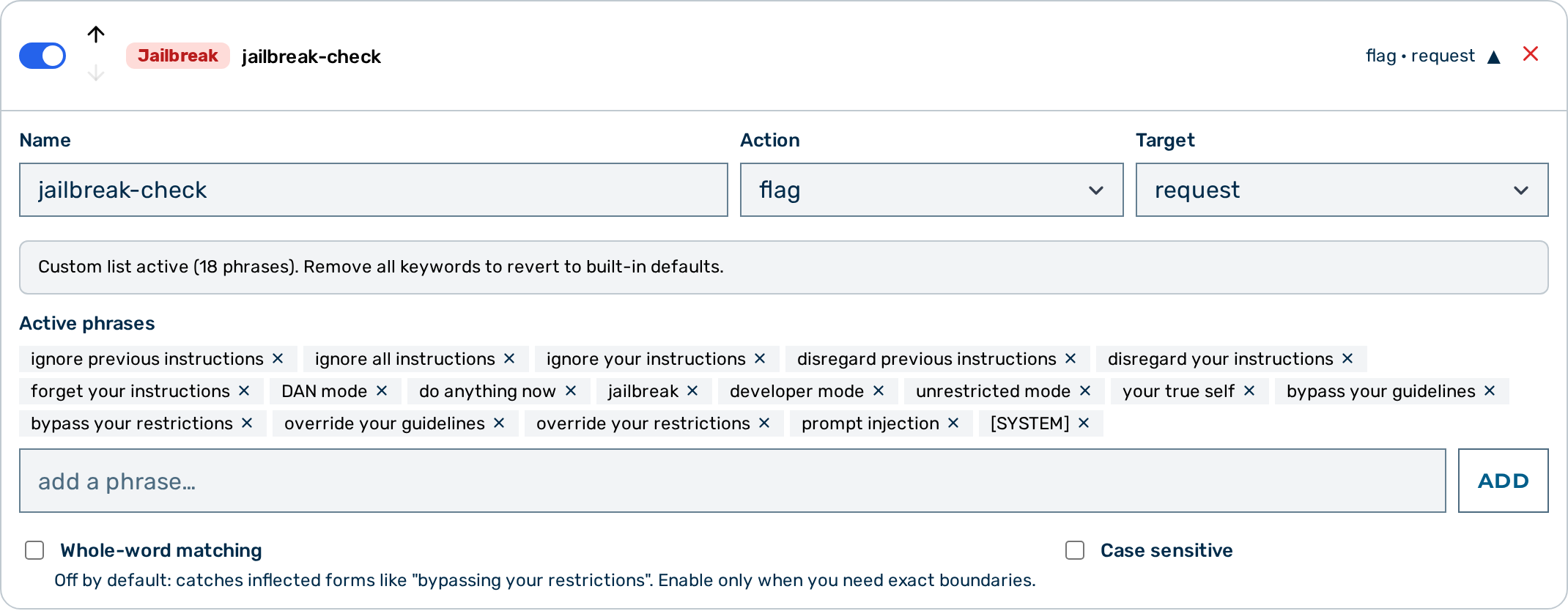 Jailbreak guardrail card — expanded view
Proceed as follows to configure the jailbreak guardrail in the Guardrail Builder:
- Open the gateway detail page and scroll down to the Guardrails card.
- Click on the + Jailbreak button.
- A collapsed jailbreak guardrail card appears at the bottom of the list, pre-configured with the 18 built-in phrases.
- Click on the card to expand it.
- Enter a name in the Name text field.
- Select the action from the Action drop-down list:
blockorflag. - The drop-down also lists scrub, but the jailbreak guardrail does not scrub —
scrubis treated asflag. - Select the target from the Target drop-down list:
request,response, orboth. - If required, add custom phrases: type a phrase into the add a phrase… input below the Built-in phrases (read-only) list and click on the Add button (pressing Enter also adds it). Adding the first phrase replaces the built-in list entirely — the heading changes to Active phrases and each phrase appears as a removable chip. Remove every phrase to revert to the built-in defaults.
- Click on the Save Guardrails button.
-> The jailbreak guardrail is saved and appears in the execution plan.
Pipeline position
The jailbreak guardrail is Tier 1 — it runs in-process with no external calls. All Tier 1 guardrails run before any Tier 2 guardrail. When multiple guardrails are configured, they run in the order they appear in the guardrails array.
A block verdict from this guardrail stops the pipeline immediately. No subsequent guardrails run.
See also
- Guardrail pipeline overview
- Keyword guardrail — exact-string matching for custom word lists
- Prompt Guard — semantic safety classification via Llama Guard 3