Load balancing
Load balancing distributes traffic across multiple provider/model targets within a single routing rule. The load_balance action type on a routing rule supports two selection strategies — weighted_random and round_robin — and optional sticky sessions.
Strategies
weighted_random
Selects a target with probability proportional to its weight. A target with weight: 7 receives approximately 70% of traffic when the total weight across all targets is 10.
"targets": [
  { "provider": "openai",    "model": "gpt-4o-mini",              "weight": 9 },
  { "provider": "anthropic", "model": "claude-haiku-4-5-20251001", "weight": 1 }
]
This routes 90% of traffic to the cheaper model and 10% to Haiku — useful for cost-optimised deployments with occasional quality spot-checks.
round_robin
Rotates through active targets in sequence using an atomic shared-dict counter. Each target receives approximately equal traffic over time. Weight magnitudes are ignored in this mode — every active target is treated equally — but a target with weight: 0 is still excluded from rotation, exactly as under the weighted strategy.
Configuration fields
| Field | Type | Default | Description |
|---|---|---|---|
strategy |
string | "weighted_random" |
Target selection algorithm: weighted_random or round_robin |
targets |
array | — | List of provider/model targets with weights |
targets[].provider |
string | — | Provider name (e.g. "openai") |
targets[].model |
string | — | Model name (e.g. "gpt-4o") |
targets[].weight |
integer | 1 |
Relative traffic weight. 0 disables the target without removing it from the config. |
sticky |
object | null |
Optional sticky session configuration |
sticky.field |
string | — | Request field to hash for stickiness. Supports meta.<key> notation (e.g. "meta.user-id") |
sticky.ttl |
integer | 3600 |
Seconds to cache the target assignment per sticky value |
Sticky sessions
Sticky sessions guarantee that requests sharing the same field value are always routed to the same target for the duration of the time-to-live (TTL).
The sticky value is hashed (CRC32) and the resulting target index is stored in the config shared dict with the configured TTL. On first encounter (or after TTL expiry), a target is selected and then cached. The initial sticky pick is always weighted-random, even when strategy is round_robin — the configured strategy governs only non-sticky selection; once a sticky value has an assignment, every subsequent request for that value reuses the cached target until the TTL expires.
The meta.<key> syntax reads from the x-aig-meta-<key> request header, where <key> is the
lowercased header suffix (HTTP header names are case-insensitive and arrive lowercased). For
example "meta.user-id" reads x-aig-meta-user-id. Only a
single string value is used for stickiness: if the header is sent more than once, the first
value is taken; an over-long value is truncated to 256 characters (see request metadata caps). A sticky field that names a
non-string gateway-internal meta key (e.g. meta.human_root) yields no sticky value and falls back
to the configured strategy — it never errors.
Hyphens, not underscores. The key is the literal header suffix, so
x-aig-meta-user-idis available asmeta.user-id— notmeta.user_id. An underscore form such asx-aig-meta-user_idnever arrives at all: the gateway's HTTP layer drops headers containing underscores (underscores_in_headersis off), so a sticky field naming one silently never matches and every request falls back to the configured strategy.
"load_balance": {
  "strategy": "weighted_random",
  "sticky": { "field": "meta.user-id", "ttl": 3600 },
  "targets": [
    { "provider": "openai",    "model": "gpt-4o",            "weight": 1 },
    { "provider": "anthropic", "model": "claude-sonnet-4-6", "weight": 1 }
  ]
}
Disabling targets
Set weight: 0 to disable a target without removing it from the config. This is useful for temporarily removing a provider during maintenance without losing the configuration.
"targets": [
  { "provider": "openai",    "model": "gpt-4o",            "weight": 1 },
  { "provider": "anthropic", "model": "claude-sonnet-4-6", "weight": 0 }
]
Disabled targets are skipped during selection. If all targets are disabled, the rule falls through to the next matching rule.
Fallback behaviour
The selected target is the primary provider for the request. All other active targets (those with weight greater than 0) that were not selected are automatically made available as fallbacks — the gateway tries them in order if the primary fails. Load balancing and automatic failover work together with no additional configuration.
💡 Note: The per-rule
timeout_msaction bounds every leg of a load-balanced rule — the selected target and each automatic-fallback leg alike. See thetimeout_msaction in the routing rules API reference.
Configuring load balancing
Before you begin, ensure the following conditions are met:
- ☑ You have admin access.
- ☑ A gateway exists.
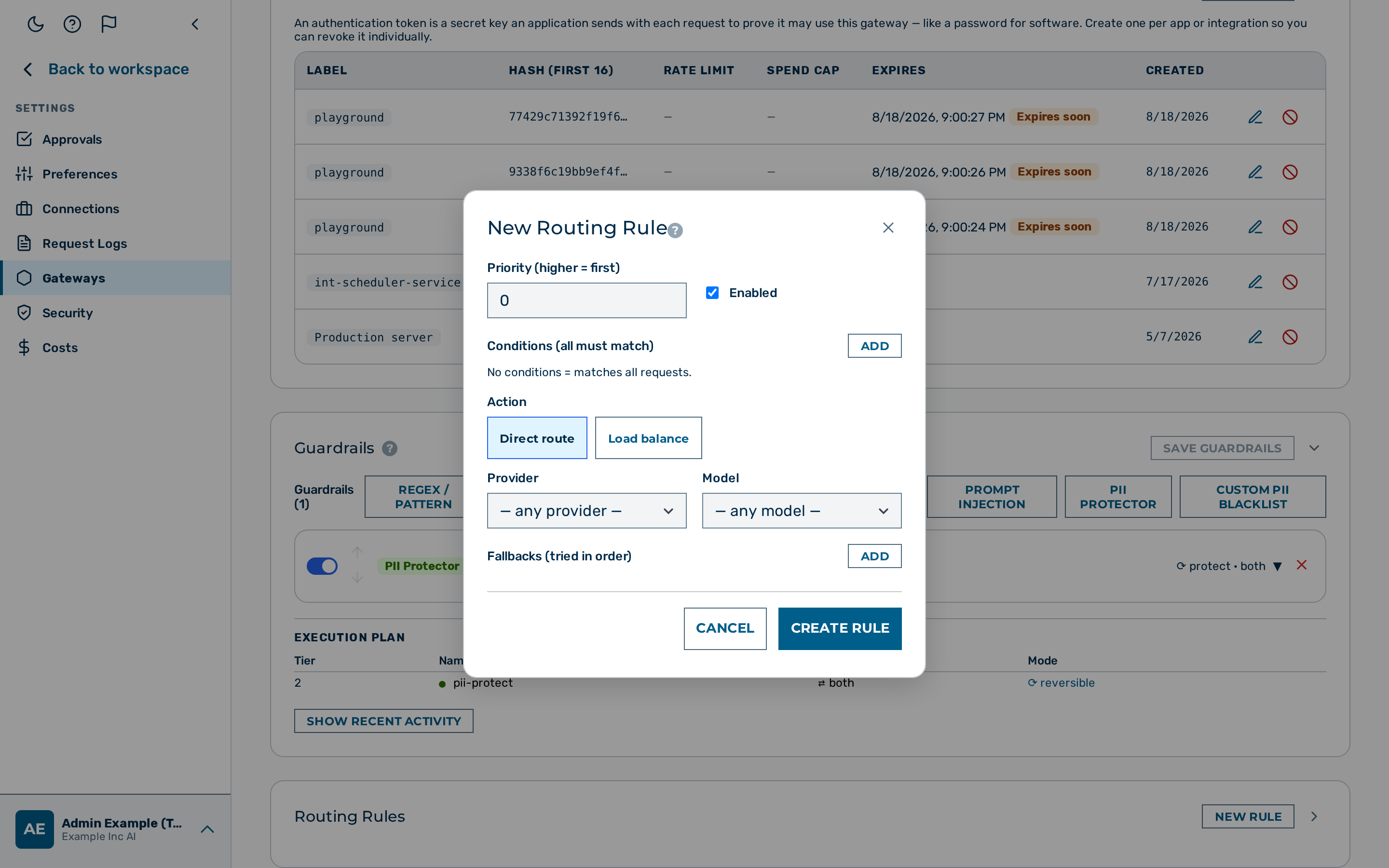 The load balancing configuration in the routing rule editor.
Proceed as follows to configure load balancing on a routing rule:
- Open Gateways in the left sidebar.
- The gateway list opens.
- Click on the gateway you want to configure.
- The gateway detail page opens.
- Scroll to the Routing Rules card.
- The rule list opens.
- Click on the + New Rule button, or click on an existing rule to edit it.
- The rule editor opens.
- Select Load balance from the Action type drop-down list.
- The load balancing configuration section appears.
- Select the strategy from the Strategy drop-down list (
weighted_randomorround_robin). - The strategy is set.
- Click on the Add Target button.
- A target row appears.
- Select the provider from the Provider drop-down list.
- The provider is set.
- Enter the model name in the Model text field.
- The model is set.
- Enter a weight value in the Weight text field.
- The weight is set.
- Repeat steps 7–10 for each additional target.
- Each target is added to the list.
- If required, enter a field name in the Sticky field text field and a TTL value in the Sticky TTL text field to enable sticky sessions.
- Sticky session configuration is set.
- Click on the Save Rule or Create Rule button (the label depends on whether the rule is being edited or created).
-> The routing rule is saved with the load balancing configuration.
Examples
70/30 split across OpenAI and Anthropic
{
  "priority": 10,
  "conditions": [],
  "enabled": true,
  "actions": {
    "load_balance": {
      "strategy": "weighted_random",
      "targets": [
        { "provider": "openai",    "model": "gpt-4o",            "weight": 7 },
        { "provider": "anthropic", "model": "claude-sonnet-4-6", "weight": 3 }
      ]
    }
  }
}
Canary: 5% traffic to a new model
{
  "priority": 20,
  "conditions": [],
  "enabled": true,
  "actions": {
    "load_balance": {
      "strategy": "weighted_random",
      "targets": [
        { "provider": "openai", "model": "gpt-4o",              "weight": 19 },
        { "provider": "openai", "model": "gpt-4o-2024-11-20",   "weight": 1 }
      ]
    }
  }
}
Consistent routing per user (sticky sessions)
{
  "priority": 10,
  "conditions": [],
  "enabled": true,
  "actions": {
    "load_balance": {
      "strategy": "weighted_random",
      "sticky": { "field": "meta.user-id", "ttl": 86400 },
      "targets": [
        { "provider": "openai",    "model": "gpt-4o",            "weight": 1 },
        { "provider": "anthropic", "model": "claude-sonnet-4-6", "weight": 1 }
      ]
    }
  }
}
Spread API key rate limits across three keys (same provider)
{
  "priority": 5,
  "conditions": [{ "field": "model", "op": "prefix", "value": "gpt-" }],
  "enabled": true,
  "actions": {
    "load_balance": {
      "strategy": "round_robin",
      "targets": [
        { "provider": "openai", "model": "gpt-4o", "weight": 1 },
        { "provider": "openai", "model": "gpt-4o", "weight": 1 },
        { "provider": "openai", "model": "gpt-4o", "weight": 1 }
      ]
    }
  }
}
💡 Note: To use different API keys on the same provider, store them under different BYOK aliases and use
x-aig-byok-aliasper target. Multi-key round-robin via aliases is planned but not yet supported as a first-class config option.
See also
- Fallback and retry
- Circuit breaker — automatically removes unhealthy targets
- Gateway configuration reference