Budget and quota enforcement
The gateway tracks cumulative spend per token, per tenant, and per gateway, and blocks requests once a configured budget is exhausted. Budgets provide hard cost caps on individual clients, tenants, or entire gateways.
Budget hierarchy
Three budget levels exist and are evaluated in order: per-token → per-tenant → per-gateway.
- Per-token budget — tracks spend for one specific auth token. If the token budget is exhausted, the request is blocked regardless of the other budget levels.
- Per-tenant budget — tracks aggregate spend for all requests across a tenant (all gateways belonging to that tenant). Set via the
tenant_budget_usdfield in the gateway config. Blocks requests for the entire tenant when exhausted. - Per-gateway budget — tracks aggregate spend across all tokens on one gateway. Acts as a hard cap for that gateway as a whole.
All three levels are independent. A request must pass all applicable checks before reaching the provider.
null and 0 are opposites. Leaving a budget field empty (null) disables enforcement at that level — spend is unlimited. Setting it to 0 is a real cap of zero, so every request at that level is refused immediately, starting with the first one. Zero is accepted on purpose: it is how you freeze a gateway or a workspace without deleting it.
Because 0 is a deliberate state rather than an error, it is reported as one everywhere it has an effect, not only where it is typed:
- the budget field warns as you type it, saying that
0blocks every request and that an empty field is what means unlimited; - the gateway and workspace lists, and the gateway detail page, show a Frozen marker instead of
$0.00, so an operator who did not set it can still see why nothing works; - the refusal itself says the budget is
0and that resetting the spend will not lift it — see A frozen budget below.
Where you set each budget in the admin UI
Each budget field is labelled by its scope so it is clear which spend it caps:
-
Organisation Budget (USD) — on the organisation edit form (Tenants → select a tenant → Edit). Caps total spend across every gateway in that tenant. The tenant is currently the top-level budget scope. Its currency is set through the admin API (see Budget currency below); the interface shows it in USD. On an Enterprise tenant, raising this budget also credits the increase to the tenant's prepaid wallet as an administrative grant — no payment is taken; lowering the budget credits nothing and never debits the wallet.
-
Gateway Budget (USD) — on the gateway create/edit form (Gateways → select a gateway → Edit). Applies to that one gateway only.
- Spend cap — on an individual auth token (a gateway's Auth Tokens → Create/Edit). Caps spend for that single token.
Budget currency
An organisation's budget can be set in EUR or USD. The default is USD, and every organisation created before this feature is USD, unchanged.
Set through the admin API, not the interface (yet). A platform admin sets it with
PATCH /admin/v1/tenants/{id}(budget_currency+budget_amount— see the tenants API reference). The admin interface still shows and edits organisation budgets in USD; the currency selector is a follow-up.
This is a different setting from the per-user display currency under Settings → Preferences. That one only changes how figures are rendered for you personally; this one is the unit the organisation's budget is actually entered and held in.
How a EUR budget works. Provider costs, the spend ledger and every enforcement check are in USD, and they stay that way. When you set a budget of €100, the gateway converts it once, at the reference rate of that moment, and remembers the rate it used. Two consequences worth knowing:
- Your cap does not drift with the exchange rate. The €100 you set stays €100 on screen and keeps enforcing the same amount of spend, whatever the market does afterwards. A budget that silently re-priced itself every morning would block an organisation that had spent nothing new that day — so the rate is pinned instead.
- The rate is re-pinned only when you change the currency. Editing the budget amount — including lowering it, or setting it to
0to freeze spending during an incident — reuses the stored rate and never contacts the rate provider. Budget changes keep working when that provider does not.
If the reference rate cannot be fetched at the moment you switch an organisation to EUR, the change is refused with a "try again shortly" error rather than applied at a guessed rate. Retry in a moment.
Not currency-aware yet: per-gateway and per-token spend caps are still entered in USD, even inside a EUR organisation. So is the platform-admin-set ceiling (platform_cap_usd): it is entered in USD, and shown to a workspace admin converted at the organisation's pinned rate so it reads in the same unit as the budget beside it. The budget_currency setting covers the organisation-level budget itself.
Self-serve plans stay USD. On a self-serve tier the allowance is set by the platform from the plan's USD price, so the currency cannot be switched there.
Wallet (prepaid credit)
A self-serve workspace (free trial or the paid Custom plan) can hold prepaid credit in a wallet, bought as a one-off top-up through Stripe Checkout or charged automatically to a saved card when the balance runs low. There is one wallet per workspace; every gateway of the workspace draws on it — the trial's two pre-configured gateways included.
The wallet sits beside the allowance, not instead of it. Requests draw on the monthly allowance first. Once the allowance is exhausted, requests continue on the wallet — with the plan's full model entitlement, not the reduced-model window — and each turn's cost above the allowance cap is taken off the wallet after the turn (the spend ledger still meters everything, so usage views stay complete). When the wallet reaches zero, the ordinary over-cap behaviour resumes on the ledger as it then stands: if wallet spend carried the ledger past the reduced-model backstop the workspace is stopped until the monthly reset or the next top-up; if the wallet was smaller than that window, the reduced-model window resumes for what is left of it. On a free trial, a funded wallet also lifts each seat's personal credit (the wallet is charged for spend above the workspace pool, not per seat). A frozen budget (0) stays frozen with a funded wallet, and a workspace moved to a manual plan never spends a leftover balance against an operator-set budget.
Bounded overshoot, stated plainly. The wallet is checked before a turn and debited after it, so concurrent turns on a nearly empty wallet can together cost a little more than the balance; the uncovered part is logged as a shortfall, never charged to anyone. This is the same bounded, one-turn-per-period overshoot the allowance itself accepts.
Currency. The balance is held in USD like the allowance and shown in the workspace's currency. A EUR top-up is converted once, at the workspace's pinned reference rate when it has one, else the platform's current reference rate, and the rate used is recorded on the movement — the credited figure never drifts afterwards.
Top-up amounts. The owner tops up any whole amount within the range the platform configures (currently 1 € – 1 000 € per top-up, with 25 / 50 / 100 / 250 € offered as shortcuts); the amount is charged in the top-up currency. There is no ceiling on the balance itself (the former platform balance cap was retired).
Automatic top-up. The workspace owner sets a threshold, a top-up amount and a monthly cap; one automatic top-up must fit within the monthly cap. Once a minute the platform checks funded wallets below their threshold and charges the saved card off-session; consecutive charges are spaced ten minutes apart and the monthly cap is enforced before every charge. A decline pauses automatic top-up and emails the owner once with the card network's reason; saving the setting again re-arms it. If the platform changes the top-up range or currency so the saved amount no longer fits, automatic top-up pauses (nothing is charged) until the owner picks a new amount. A charge whose outcome could not be learned is replayed under the same Stripe idempotency key — never charged twice — and escalated to an operator after 24 hours.
Refunds and charge-backs. A refund issued in Stripe debits the wallet by the refunded share of what was credited (never below zero; a shortfall is alerted to ops); a charge-back also flags the wallet so it funds nothing and accepts no top-up until an operator clears it. Owner-facing detail: Wallet API.
Budget periods
Each budget level has a configurable period — the window over which spend is accumulated. For daily and monthly, spend resets automatically at the start of each new period with no manual action required. A total period is a lifetime cap and never resets on its own; only a manual reset clears it.
| Config field | Scope | Default | Options |
|---|---|---|---|
budget_period |
Gateway | monthly |
daily, monthly, total |
tenant_budget_period |
Tenant | monthly |
daily, monthly, total |
token_budget_period |
Token (auth token) | monthly |
daily, monthly, total |
| Value | Resets | Use case |
|---|---|---|
daily |
Each calendar day at midnight, in the gateway server's local time zone | Per-day spend caps for high-volume tenants |
monthly |
First day of each calendar month, in the gateway server's local time zone | Standard billing-period enforcement (default) |
total |
Never — lifetime accumulation | One-time spend allowances, trial accounts |
💡 Note: Automatic period reset is distinct from a manual budget reset, which clears accumulated spend immediately. Manual resets are available for one-off corrections.
Free-trial two-gateway split
A free-trial workspace (the self_serve_trial plan) is provisioned with two pre-configured gateways instead of one, so internal (Myra-hosted, near-zero cost) usage and external (real Anthropic vendor spend) usage carry separate caps:
| Gateway | Models | Per-gateway budget_usd (period total) |
|---|---|---|
internal |
the Myra EU fleet only (provider_allowlist: ["myra"]) |
2⁄3 of the tenant trial backstop |
external |
Anthropic Haiku only (provider_allowlist: ["anthropic"]; the trial plan entitles only Haiku, so Sonnet/others are blocked) |
1⁄3 of the tenant trial backstop |
The two per-gateway budgets are derived from — and always sum exactly to — the tenant trial backstop (seats × per-seat credit), so the split never exceeds the overall trial allowance. Budgets are enforced in USD (the displayed EUR figure is a presentation of the same amount). While the workspace is on the trial plan these budgets and the model restrictions are locked (see the gateway edit lock in Tenants & gateways). On upgrade to a paid plan both gateways are reset in place — the per-gateway caps and provider restrictions are cleared so the workspace is bound only by its new paid tenant budget and can set its own per-gateway allowances from there; the gateways are never deleted or re-created.
Cost calculation
Cost is computed from the token usage returned in the provider response (prompt tokens + completion tokens) combined with per-model pricing data maintained by the gateway.
Spend is incremented after each successful inference response. Streaming responses increment spend when the final chunk is processed and usage data is available.
💡 Note: Cost data depends on the internal model pricing table of the gateway. If the price of a model is not known, spend may not be tracked for that model. Check the model list endpoint to confirm pricing coverage.
quota_exceeded response
When a budget is exhausted, the gateway returns HTTP 429. The message names the scope that ran out, the cap, the spend, whether the limit resets on its own, and who can lift it. It is written for the person hitting it — an application developer or an end user — so it does not quote admin API routes.
Token (API key) budget exhausted
{
  "error": {
    "code": "quota_exceeded",
    "message": "This API key has used its budget of $10.00 (spent $10.00). It resets at the start of the next monthly period. An administrator can raise this API key's spend limit without issuing a new key — the same key keeps working. See Budgets & quotas in the documentation."
  }
}
A per-token spend cap is editable in place (a gateway's Auth Tokens → Edit, or PATCH the token). Raising it does not require issuing a new key, and the existing key keeps working.
Workspace (tenant) budget exhausted
{
  "error": {
    "code": "quota_exceeded",
    "message": "This workspace has used its budget of $50.00 (spent $50.00). This limit does not reset on its own. An administrator can raise the limit for this workspace, or reset the spend for the period. See Budgets & quotas in the documentation."
  }
}
Gateway budget exhausted
{
  "error": {
    "code": "quota_exceeded",
    "message": "This gateway has used its budget of $200.00 (spent $200.00). It resets at the start of the next monthly period. An administrator can raise the limit for this gateway, or reset the spend for the period. See Budgets & quotas in the documentation."
  }
}
The reset sentence follows the scope's budget_period: a daily or monthly period resets on its own, while total states plainly that it does not.
A frozen budget (0)
A budget of 0 produces a different message, because it is a different situation with a different remedy. It is not an exhausted allowance: nothing was spent, waiting does not help, and resetting the spend changes nothing (0 is still not below 0 on the next request).
{
  "error": {
    "code": "quota_exceeded",
    "message": "This gateway has a budget of $0.00, so every request is refused. This is a deliberate freeze, not an exhausted allowance — resetting the spend does not lift it. An administrator can set a budget above zero, or clear the budget entirely for no limit. See Budgets & quotas in the documentation."
  }
}
The same wording is used for a frozen API key and a frozen workspace, with the scope named accordingly. A negative budget left behind by bad data is treated as frozen too.
A platform administrator resets accumulated spend with DELETE /admin/v1/gateways/{id}/budget or DELETE /admin/v1/tenants/{id}/budget — both are platform-admin only: resetting a gateway or tenant ledger re-opens its cap and the platform-set platform_cap_usd ceiling, so a tenant admin receives 403 and the reset is audited (gateway.budget_reset / tenant.budget_reset). Resetting every token of one user via DELETE /admin/v1/users/{id}/budget is a token-scoped action and is unaffected by that gate.
Deleting a gateway removes its spend rows with it — the gateway scope and its API keys' token scope, every period, in the same transaction as the delete — so a deleted gateway does not linger in ledger-wide reporting (the tenant's and users' own spend is unaffected). Two windows are inherent: a request that was still running when the gateway was deleted books its cost after it finishes, and on a multi-site deployment a sibling site keeps accepting the gateway's API keys for its configuration / key cache lifetime (minutes) and books those requests. Rows from either window are reporting noise, never an enforcement input (the gateway and its keys are gone); the next boot's orphan pass reaps them, together with anything stranded by deletes that pre-date this behaviour ([ledger_orphan_sweep] pass done … in the gateway log).
Soft-threshold alerts (before the hard stop)
The hard stop above only fires at 100% of a budget. To warn before spend runs out, the gateway also emits a proactive soft alert when current-period spend crosses a configurable fraction of any budget (token, tenant, or gateway) without yet being over it.
- Threshold:
budget_alert_pctin the gateway config — a fraction in(0, 1), default0.8(80%). Set to0to disable the soft alert; any out-of-range or non-number value falls back to0.8. - Advisory only: the request is not blocked when the soft threshold is crossed. Blocking still happens only at 100%.
- Delivery: the alert fires two independent signals, both named
budget_threshold: - the gateway's own configured webhook (if
webhooksis set and itseventsfilter includesbudget_threshold, or has no filter) — see Webhook payload; - an operator notification through the shared notifier (structured log line
[budget_threshold] …, plus an operator alert email address, the ops alert webhook, and Mattermost, when those are configured). - De-duplication: the alert fires at most once per
(scope, entity, period, cap). A new budget period, or a change to the budget amount, re-arms it. A worker restart or cache eviction may re-alert once (at-least-once across those boundaries). - Spend-read failure (fail-open, but observable): budgets are enforced on a positive spend signal — never on its absence. If a scope's spend query cannot reach the database, that read is treated as unknown (not as
0): that scope's hard stop fails open — the request is allowed and that cap is not enforced for it (a database blip must not block all traffic) — and its soft alert is skipped for that request. Each scope fails open independently: a scope whose own read succeeds (or is served from the 5-second cache) is still enforced and can still block. Metering is independent of enforcement: the turn's cost is still debited at the end of the turn, and a debit that fails while the database is down is lost (logged atERR, not retried) — so an outage can leave spend under-counted, never over-counted. Unlike before, this is not silent: the request log'smetaobject carriesspend_read_degraded: true(queryable viaJSON_EXTRACT(meta, '$.spend_read_degraded')), the flag is forwarded to the SIEM feed, and a[budget_degraded] …log line is emitted — so a sustained outage that suppresses budget enforcement is visible to log-based alerting. Metering resumes automatically the instant the database recovers.
The SPA's "Budget Warnings" badge in the analytics view is fixed at 80% and is independent of budget_alert_pct; changing the knob moves the webhook/notification timing, not the badge.
Self-serve allowance emails (customer-facing)
Self-serve (self-signup) tenants additionally receive customer-facing allowance emails to the account owner (the tenant_admin seeded at signup, resolved owner-first) — separate from, and in addition to, the operator soft alert and the budget webhook above (both of which are unchanged):
- 80% email — sent once when the tenant's spend first reaches 80% of its monthly allowance (the tenant budget). Informational; the request is not blocked.
- 100% email — sent once when the allowance is first fully used. When cap soft-degrade is configured (see below), the email says the plan's efficient models are now serving instead of a stop; when soft-degrade is not configured, it says the hard stop applies. Either way it is sent once per allowance period — never repeated on subsequent over-cap requests.
- Locale: the email is rendered in the account owner's stored locale (
en/de). - De-duplication: each email fires at most once per tenant per allowance period. The period is the monthly allowance cycle (anchored on the last allowance reset, ~30 days — not the Stripe invoice cadence), so on an annual subscription both emails re-arm every month, when the allowance actually resets. The date in the email is that reset; when no reset is scheduled — grace, inactive, or cancelling at the period end with no allowance reset before it — the e-mail names no reset at all (only the upgrade path).
- Manual (non-self-serve) tenants never receive these emails — they use the operator soft alert / webhook path only.
Self-serve cap soft-degrade (efficient models instead of a hard stop)
For self-serve tenants, the deployment can replace the 100% hard stop with a soft degrade: at 100% of the allowance, requests keep working but the model choice is clamped to the plan's efficient model subset — a request for an efficient model passes unchanged, a request for a premium model is transparently served by the plan's named degrade model. Premium models stay locked until the allowance renews (or the plan is upgraded). A secondary, generous hard cap — a multiplier on the tenant's allowance — remains as the true stop for runaway degraded use.
Configuration is stored per plan in the DB-backed plan config and edited through the Self-serve plan config API, and changes take effect immediately. ALL of the degrade fields are required for the degrade to arm — anything missing or invalid falls back to the hard stop, fail closed:
| Plan-config field | Meaning |
|---|---|
efficient_models |
Exact model_price.model ids allowed over cap. Entries outside the plan's models list are dropped when read, with a warning — the degrade set can never widen the plan. |
degrade_provider, degrade_model |
The named swap target for over-cap premium requests. The model must be in the efficient set. The provider must be servable on a self-serve gateway: anthropic (only when the platform key pool is wired for your deployment) or a keyless provider (myra). Anything else disarms the feature. |
degrade_multiplier |
Secondary hard cap as a multiplier on the tenant's allowance. Default 2.0; valid range is greater than 1.0 up to 10.0. Out-of-range values disarm the feature (a typo must never silently delete the backstop). |
Behavior details:
- The over-cap request is not blocked while spend is below
allowance × multiplier; past that, the request is refused with429 quota_exceededand a member-appropriate message. - The
budget_exceededwebhook fires once per billing period withdegraded: true, stage: "primary"when the degrade window opens, and per-request withstage: "backstop"at the secondary cap — see Webhook payload. - The SPA shows the degraded state in the allowance meter, the account banner, and an in-chat notice; the composer stays enabled.
- Manual tenants, token budgets, and gateway budgets are unaffected — their hard stops are unchanged.
Best practices
| Scenario | Recommendation |
|---|---|
| Absolute cost cap for the gateway | Set gateway.budget_usd; reset monthly. |
| Per-client spend limit | Set budget_usd on each client's token. |
| Development / internal use | Leave budget null; rely on rate limiting instead. |
| Stop a gateway spending without deleting it | Set its budget to 0. It shows as Frozen and refuses every request until the budget is raised or cleared. |
| Multi-tenant with shared cap | Use gateway budget as the shared ceiling; per-token for individual client limits. |
💡 Note: The budget of the gateway and the per-token budget are not linked. Exhausting the budget of the gateway blocks all requests even if individual token budgets have remaining balance.
Configuring a gateway budget
Before you begin, ensure the following conditions are met:
- ☑ You are signed in with the role tenant admin or admin.
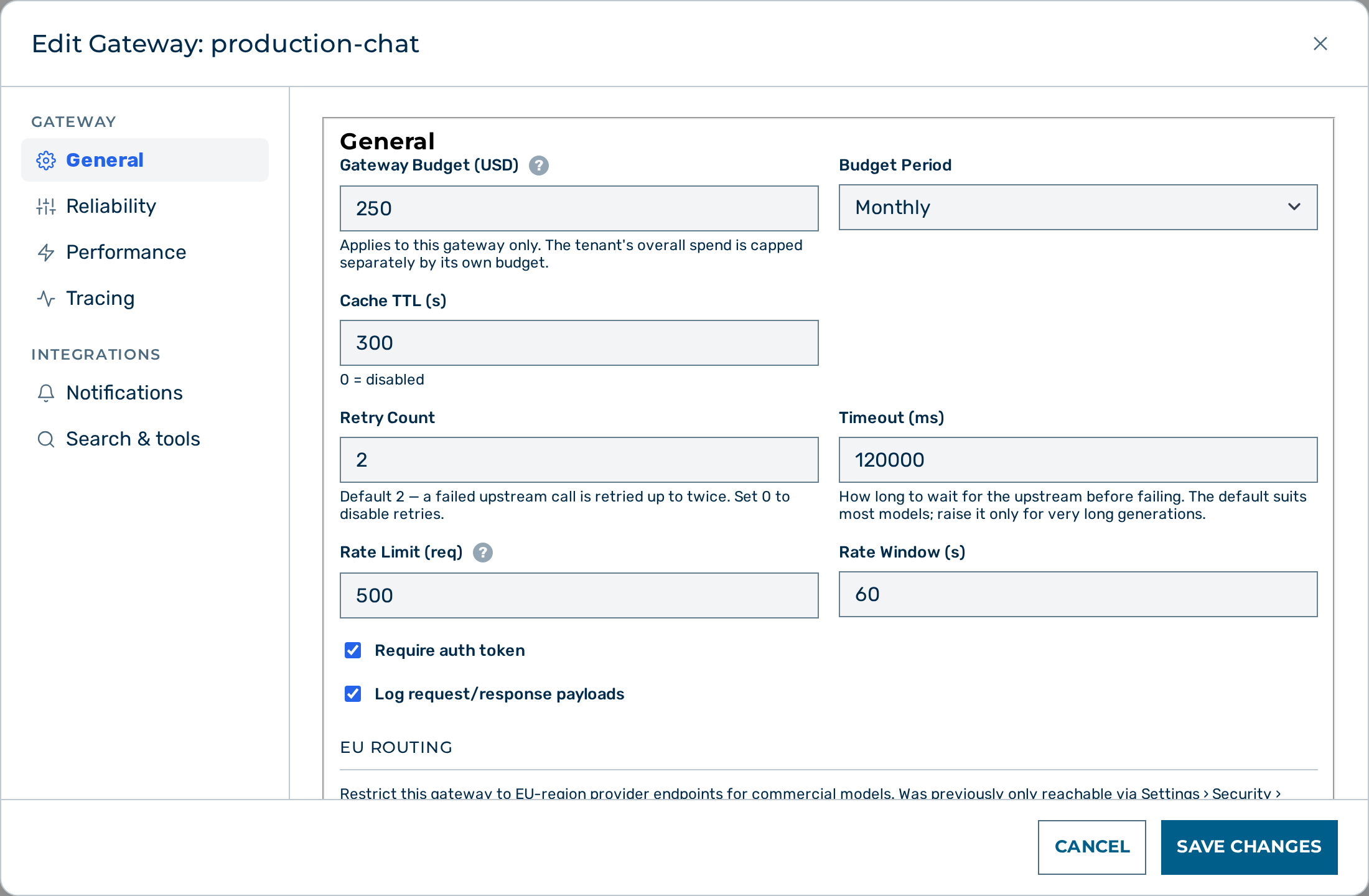 The Gateway Budget (USD) field in the Edit Gateway modal.
Proceed as follows to configure a gateway budget:
- Open the Gateways view.
- Click on the Open → button of the gateway.
- The gateway detail view opens.
- Click on the Edit button in the Gateway card header.
- The Edit Gateway:
modal opens. - Enter the spend cap in the Gateway Budget (USD) text field.
- Select Daily, Monthly, or Lifetime in the Budget Period drop-down list.
- Click on the Save Changes button at the bottom of the modal.
-> The gateway enforces the budget on every subsequent request. Requests are blocked once the configured spend cap is reached. Leaving the field empty means no limit; entering 0 freezes the gateway so that every request is refused.
Configuring a per-token budget
Before you begin, ensure the following conditions are met:
- ☑ You are signed in with the role tenant admin or admin.
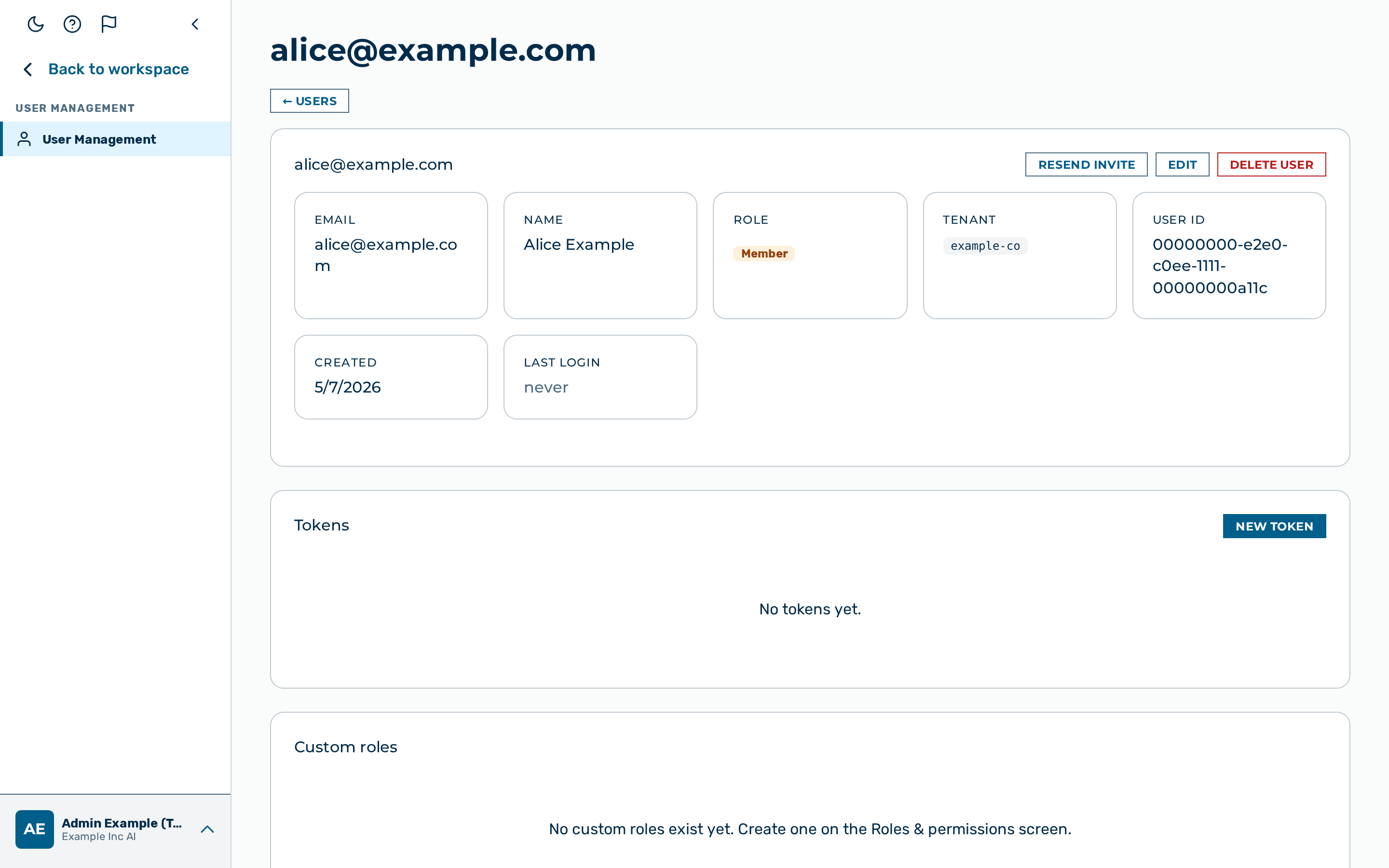 The Budget (USD) field in the token dialog.
Proceed as follows to configure a per-token budget:
- Open Users via the user-block menu at the bottom of the left sidebar → User Management → Users.
- The Users list opens.
- Click the open action icon on the user's row.
- The user detail view opens.
- Click on the + New Token button in the Tokens card.
- The Create Auth Token dialog opens.
- Enter the spend cap in the Spend cap (USD, optional) text field.
- Click on the Generate Token button.
- The new token appears in the list with the configured budget.
-> The token budget is active immediately. Requests using that token are blocked once the spend cap is reached.
Resetting a budget
Use the reset action to clear accumulated spend so that requests can resume. Resetting is useful when correcting an over-run or starting a new billing period manually.
🔒 Platform-admin only. Resetting a gateway or tenant spend counter is reserved for platform administrators (it re-opens the cap and the
platform_cap_usdceiling); a tenant admin receives403. Resetting a user token budget is unaffected. Every gateway/tenant reset is audited.⚠️ Caution: Budget resets are immediate and irreversible. There is no confirmation step. Automate resets with care.
Resetting a gateway budget
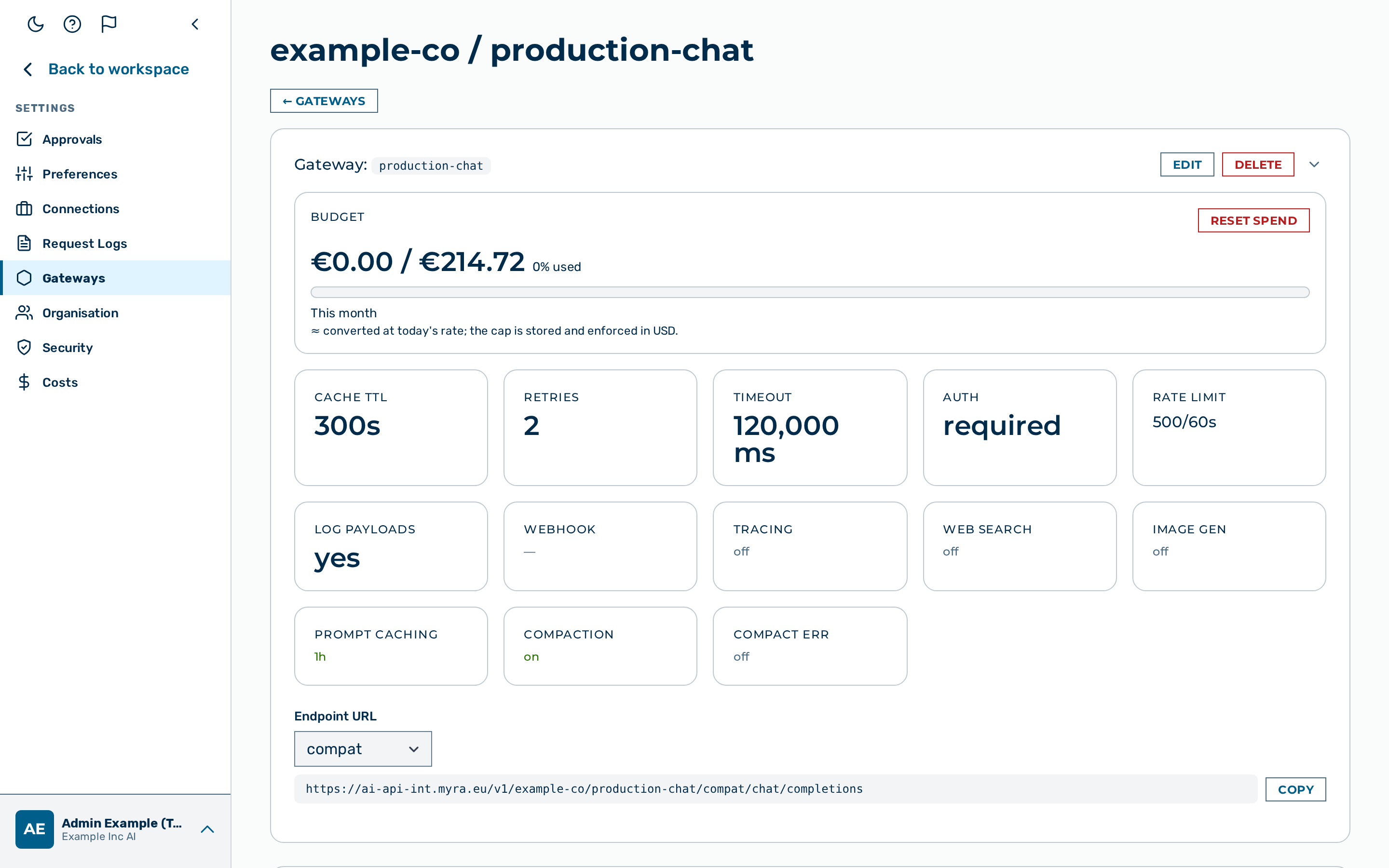
Proceed as follows to reset a gateway budget:
- Open the Gateways view.
- Click on the Open → button of the gateway.
- The gateway detail view opens.
- Locate the Budget stat card in the Gateway section.
- Click on the Reset Spend button below the value.
-> The spend counter for the current period resets to zero. Requests are accepted again up to the configured budget cap.
Resetting a user token budget
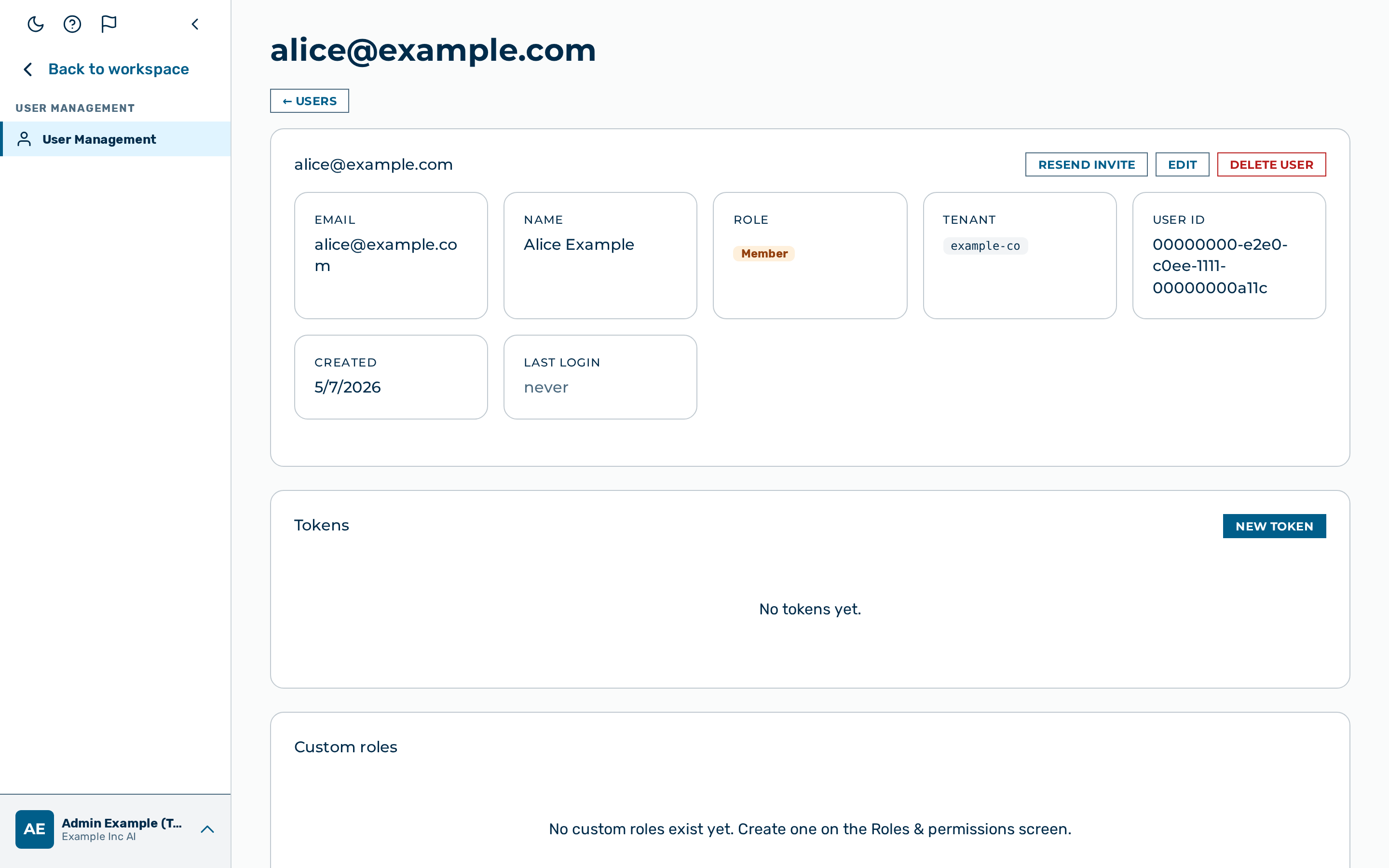 The Reset budget action in the Users module.
Proceed as follows to reset a user token budget:
- Open Users via the user-block menu at the bottom of the left sidebar → User Management → Users.
- The Users list opens.
- Click the open action icon on the user's row.
- The user detail view opens.
- Click on the Reset budget action for the token.
- Accumulated spend for that token is cleared.
-> The spend counter of the token resets to zero. Requests authenticated with that token are accepted again up to the configured budget cap.
API
Budget fields and reset endpoints are part of the gateway and user APIs. See Tenants & Gateways API and Users & Tokens API for examples.
See also
- Budgets — what budgets are and why
- Rate Limiting
- Gateway Configuration
- Authentication & Tokens
- API Reference: Users & Tokens