Sign-up limits
Description
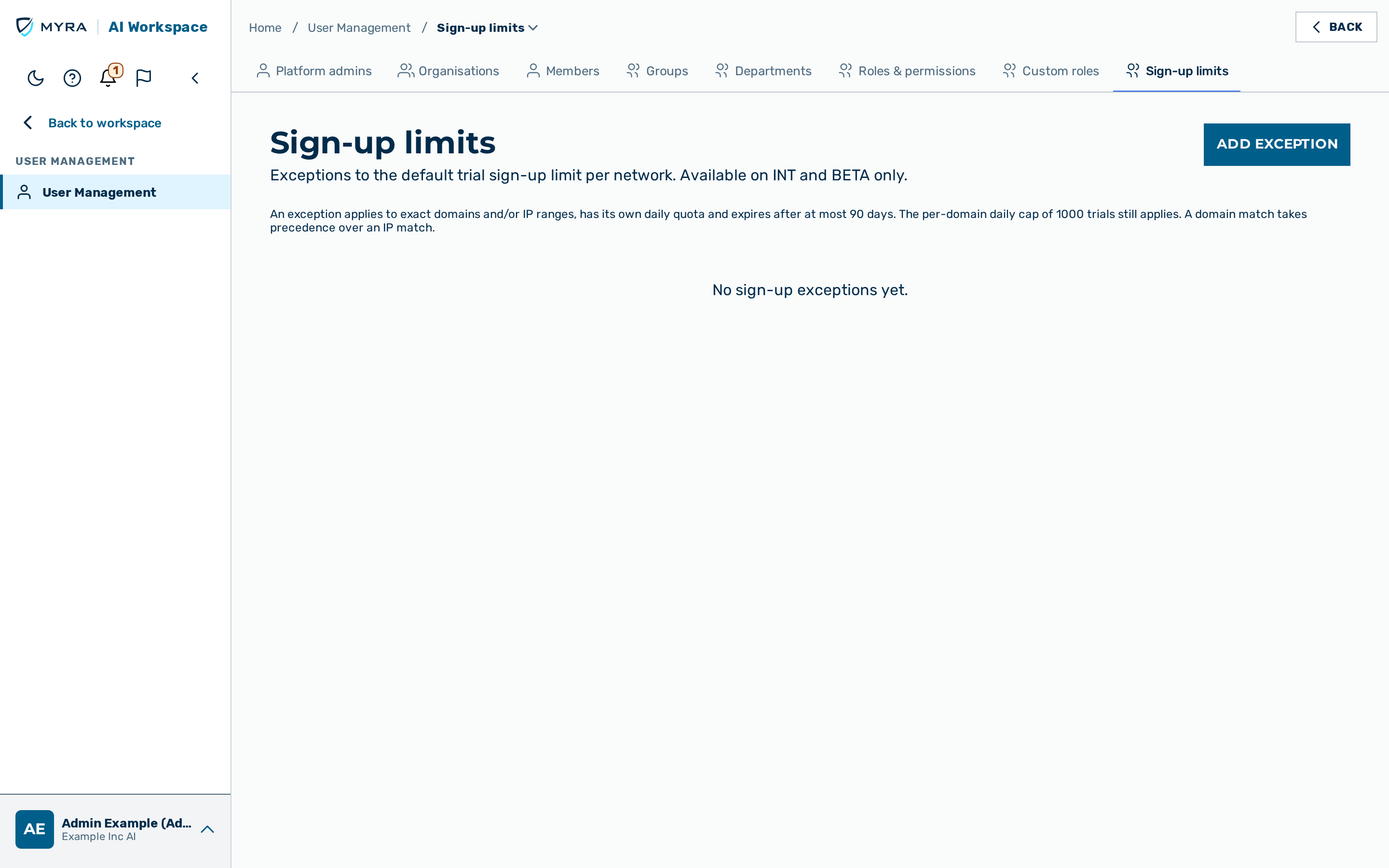
Trial sign-ups are limited per network (IPv4 address, or IPv6 /64 network) and per e-mail domain. A sign-up exception lifts the per-network limit for a named set of exact domains and/or IP ranges, for example for a workshop, a customer pilot or an office that shares one outgoing address. Each exception has its own daily quota and always expires.
The Sign-up limits view is a tab of User management. It is visible only to platform administrators (permission SIGNUP_LIMITS_MANAGE, held by the admin role) and only on the INT and BETA environments. On every other environment the tab does not appear and the API refuses requests with feature_disabled.
The list shows the columns Name, Domains, IP ranges, Max. per day, Expires (UTC) and Actions. The Expires (UTC) column shows the badge Active or Expired.
Exception rules
The following rules apply to every exception:
- Domains match exactly.
acme.comdoes not covereu.acme.com; add each subdomain separately. Domains are stored in lowercase. Public mail provider domains are not allowed. - IP ranges are bounded. IPv4 ranges must be
/24or smaller, IPv6 ranges/48or smaller. A single address is stored as/32or/128. A range with host bits set (for example203.0.113.5/24) is refused. - Each list holds at most 20 entries. An exception holds at least one domain or one IP entry.
- The daily limit is a whole number between 1 and 500 trial sign-ups.
- Expiry is in UTC. The selected date is valid until 23:59:59 UTC of that day, regardless of your local time zone. It must not be in the past and may be at most 90 days ahead. An expired exception never matches.
- At most 50 exceptions are stored. Expired exceptions count towards this limit until you delete them.
Creating an exception
Proceed as follows to create an exception:
- Click on the Add exception button.
- The Add sign-up exception dialog opens.
- Enter a name (1 to 100 characters) in the Name text field. For example:
Acme pilot - Enter the domains in the Domains text field, one per line.
- Enter the addresses or ranges in the IP addresses or ranges text field, one per line. For example:
203.0.113.0/24 - Enter the daily limit in the Max. trial sign-ups per day text field.
- Select the date in the Expires on (UTC) field.
- Click on the Create exception button.
- The dialog closes.
-> The new exception appears in the list of exceptions.
If the dialog shows an error, correct the named field. For example, an IP range with host bits set is rejected: enter the network address 203.0.113.0/24 instead of 203.0.113.7/24.
Editing an exception
Proceed as follows to edit an exception:
- Click on the Edit action in the row of the exception.
- The Edit sign-up exception dialog opens.
- Change the required fields.
- Click on the Save button.
- The dialog closes.
-> The list shows the changed exception. Saving replaces the whole entry.
Deleting an exception
⚠️ Caution: After the deletion, sign-ups from the domains and networks of the exception are limited by the default rules again, immediately.
Proceed as follows to delete an exception:
- Click on the Delete action in the row of the exception.
- A confirmation dialog opens.
- Confirm the deletion.
-> The exception disappears from the list of exceptions.
Overlaps and precedence
An active exception cannot overlap another active exception, neither on a domain nor on an IP range. The refusal names the conflicting entry. Expired entries do not count as overlaps.
When a sign-up matches both kinds, the domain exception takes precedence over the IP exception. Among several IP ranges, the longest matching prefix wins.
Interaction with the per-domain cap
An exception never relaxes the platform-wide per-domain daily cap (setting trial_per_domain_daily, default 1000 trials per domain per day). If an entry's quota is higher than the cap, the page shows a hint: the cap still applies.
Rejected sign-ups
When a sign-up is refused because of a limit, the sign-up page tells the visitor whether the domain limit or the network limit was reached.
Unreadable entries and lookup faults
An entry that cannot be read is marked Unreadable, with the hint Unreadable — delete and re-create this entry. If the exceptions cannot be looked up during a sign-up, the default limits apply; an exception only ever relaxes a limit.
Known limitation
Quotas are counted without a global lock. Under a burst of simultaneous sign-ups the number of accepted trials can briefly exceed the daily quota.
Related pages
The API, the accepted input and the rejection codes are described in Trial sign-up exceptions. The sign-up flow is described in Self-serve signup.